3D Door Configurator
How LEEF turned complex made-to-order door specifications into a guided 3D quoting and product management system.
A. The Challenge
LEEF's product range is deep. Nine door series, each with different structural profiles. Multiple glass types including reeded and frosted options. A range of aluminium finishes like Lexicon White, Black, and more. Left or right handing. Custom dimensions down to the millimetre. Several hardware options per series. The number of possible configurations runs into the thousands. No amount of photography can cover that. And unlike a standard off-the-shelf door, there's no way for a customer to walk into a hardware store and see their exact specification.
B. What We Built
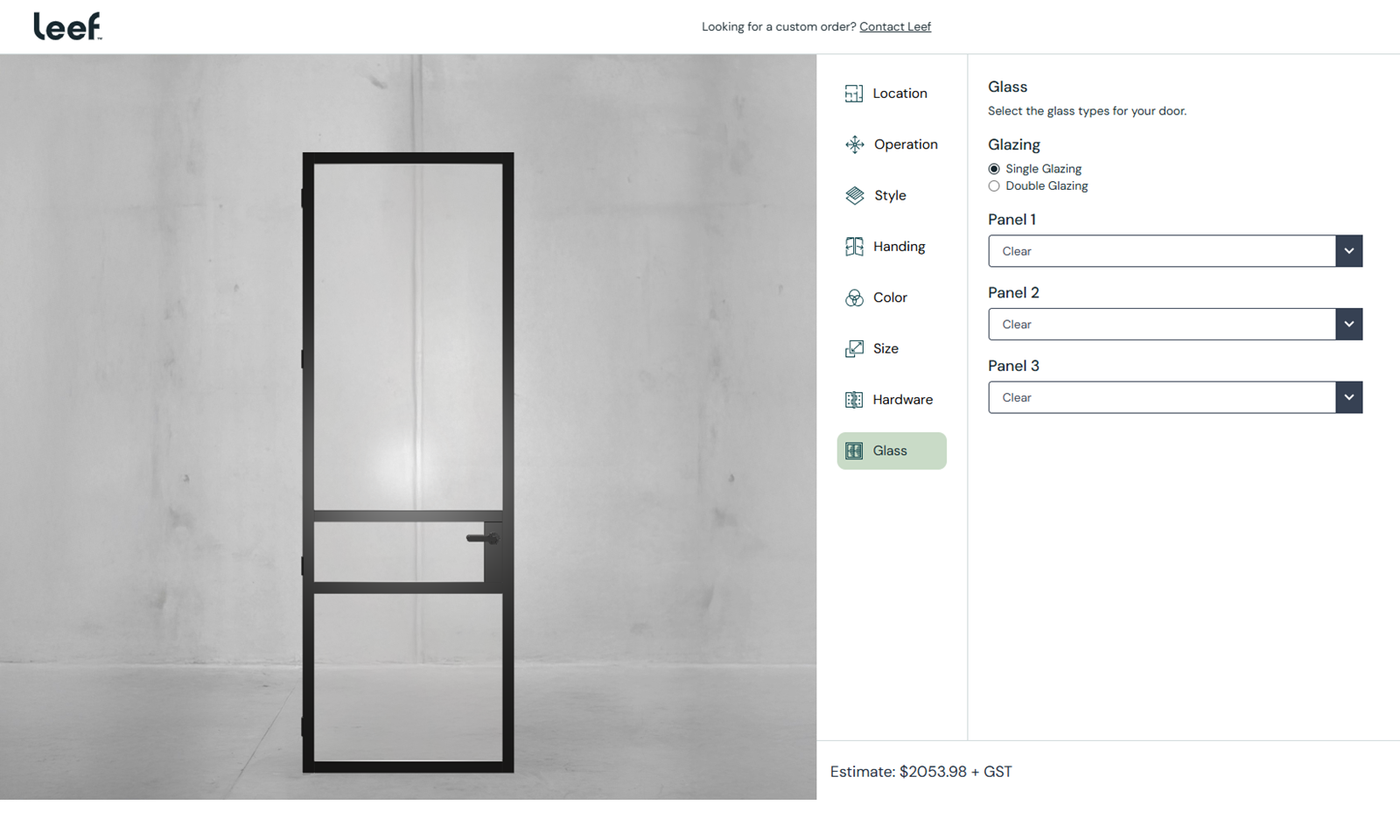
The configurator lives at designer.leefdoors.com.au and serves as a customer-facing design tool linked from LEEF's main website. It guides customers through the full specification of a door in a structured and step-by-step flow.
The 7-Step Guided Flow
Configuring a custom door involves dozens of interdependent decisions. Presenting them all at once would overwhelm most customers. Instead, the configurator uses a guided wizard that walks through seven steps in sequence:
- Location — where the door will be installed
- Style — the door series and type (pivot, hinged, arched, slider), each with a different 3D model and set of available options
- Handing — left or right opening
- Colour — aluminium frame finish, applied to the 3D model in real time
- Size — custom width and height dimensions, with the 3D model scaling to reflect exact proportions
- Hardware — handle style and finish, swapped on the 3D model
- Glass — glass type selection (clear, reeded, frosted, tinted), with the 3D material updating to show transparency, texture, and light behaviour
Live Pricing
Live pricing does two things. First, it eliminates the wait-for-a-quote bottleneck that slows down every custom product sale. The customer doesn't need to submit a form and wait 48 hours to find out if their preferred configuration fits their budget. Second, it encourages experimentation. A customer who sees that reeded glass adds $X to the price can make an informed decision on the spot, and they're more likely to choose the upgrade when they can see the visual difference in 3D alongside the exact cost impact.
3D Rendering
The 3D engine is built with React Three Fiber, giving us the performance of WebGL with the component architecture of React. This was the right choice for a configurator with this level of UI complexity.
The rendering handles several technically demanding requirements:
- Glass materials
- Aluminium finishes
- Dynamic dimensions
- Hardware swaps
The result is a 3D preview that communicates not just shape and colour, but the material quality that defines a premium door.
Quote System
At the end of the step, the customer can submit their configured door as a formal quote request. The submission includes the full specification — series, dimensions, glass, finish, hardware, handing — alongside the calculated price and the customer's contact details.
The Admin Dashboard
This is what elevates the project from a configurator into a complete product management system, and what placed it in our Enterprise tier.
Most configurators are static: the options are hardcoded, and adding a new product or changing a price requires a developer to update the code and redeploy. For a manufacturer with an evolving product range, that creates an ongoing dependency on development resources for what should be routine business operations.
LEEF's admin dashboard gives the team full control over:
- Product management — add, edit, or remove door series, styles, and variants without touching code
- Pricing management — update base prices, option surcharges, dimensional pricing rules, and material costs. Changes take effect immediately in the customer-facing configurator
- Option configuration — manage which finishes, glass types, hardware options, and sizes are available for each series. Control dependencies between options (e.g., which glass types are compatible with which series)
- Quote management — view, filter, and manage incoming quote requests with full configuration details attached
The dashboard runs on an Express.js backend that serves as the API layer between the admin interface and the customer-facing configurator. Product data, pricing rules, and option configurations are stored in the database and served dynamically.